
How To Reset Your WellSky App Password
Reset Your WellSky App Password (1)
If you need to reset your password, you can do so by clicking on the Forgot Password button.
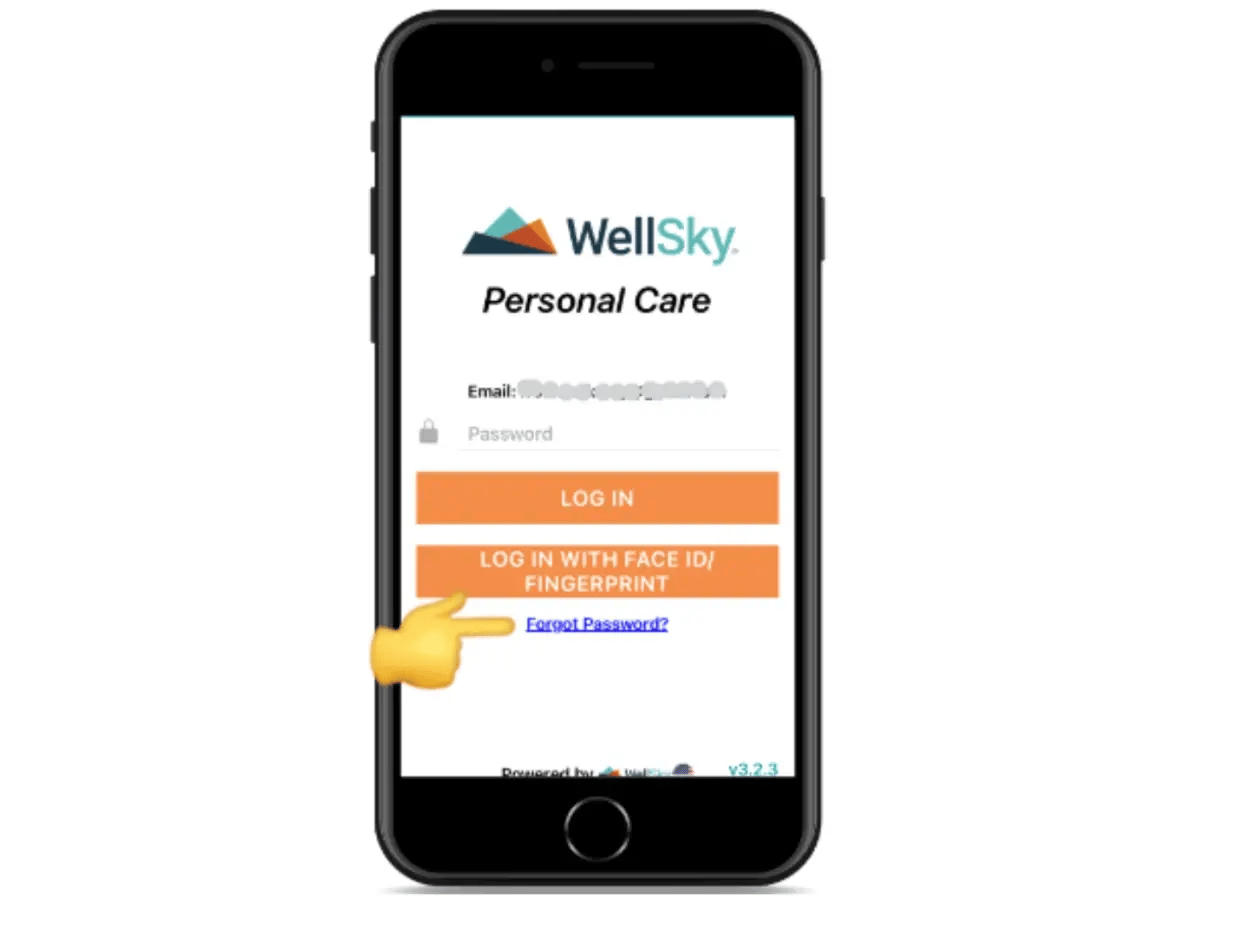
Reset Your WellSky App Password (2)
Input your email address and tap the Reset button.
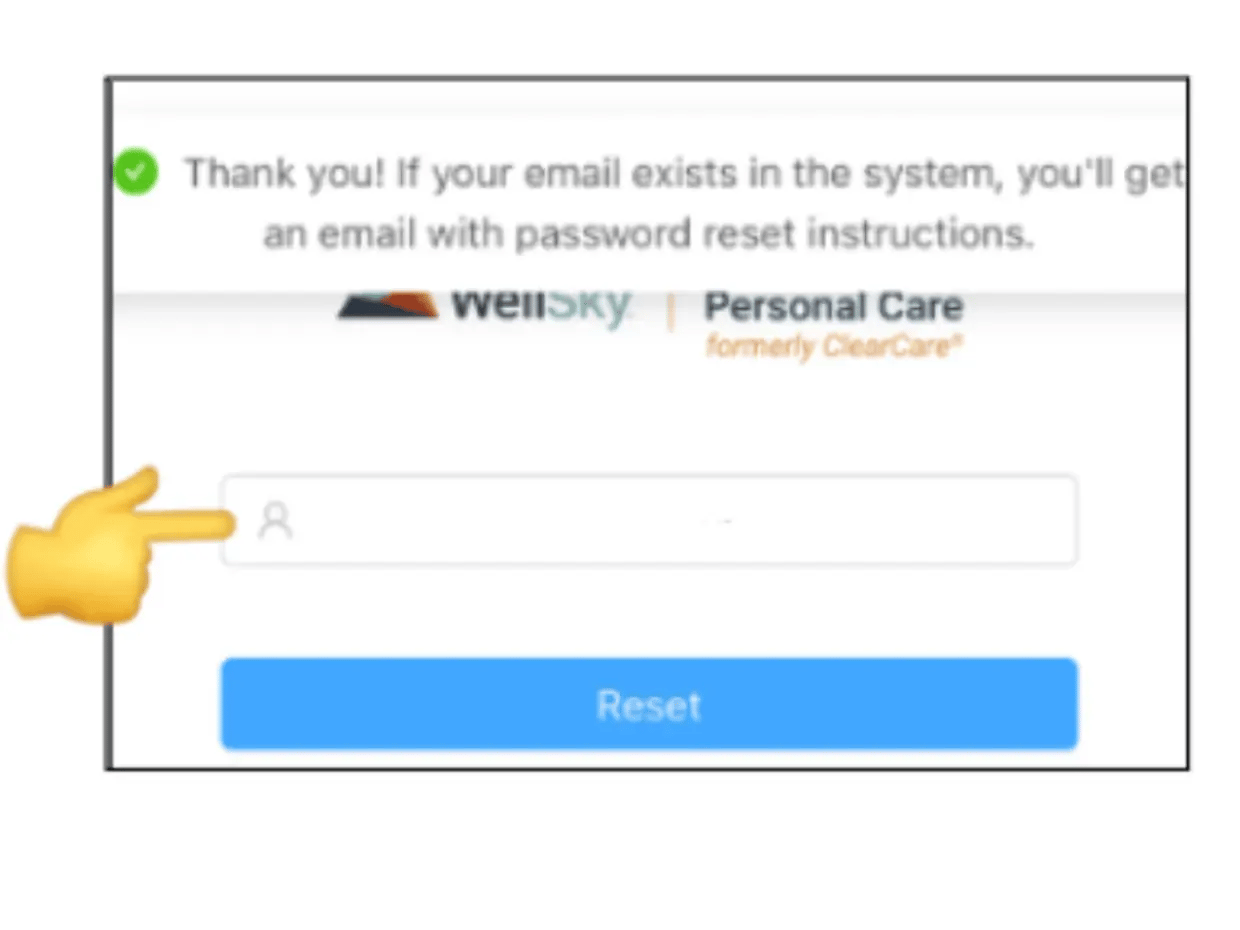
Reset Your WellSky App Password (3)
You will receive an email that includes a unique reset code and a link to reset your password. Copy or write down the code and tap the link.
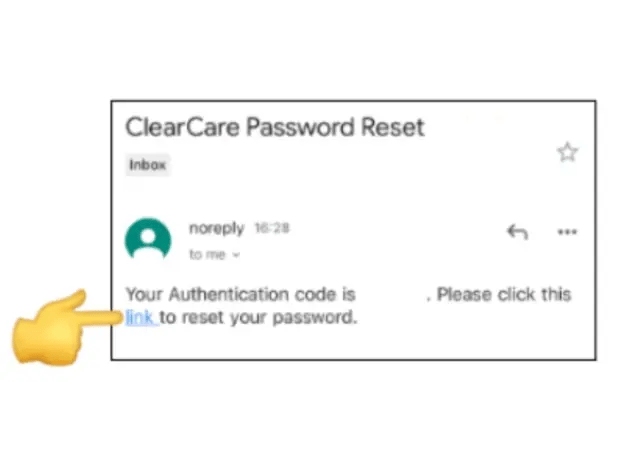
Reset Your WellSky App Password (4)
You will be prompted to input in your email, a new password, re-enter new password and the reset code from the email you received. Input all of the information and tap Submit.
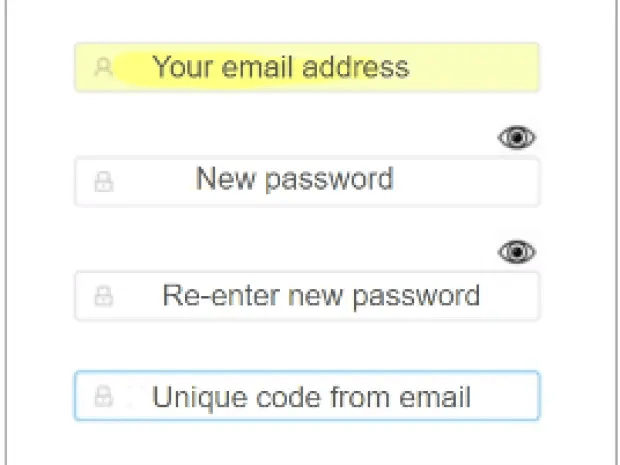
Reset Your WellSky App Password (5)
A message will display letting you know that your password was successfully reset. Open the Wellsky app and login.
Caregiver Support
For support using the Clearcare app call 1-866-671-6930. HRSC Support: Payroll, Benefits, Verification of Employment, Workday Navigation. Call 1-888-874-8088
- How to Login
- Unblock WellSky Gmail
- Unblock WellSky Hotmail
- Unblock WellSky Yahoo
- Password Reset
- How to Clock In
- How to Record a General Comment
- Shift Tasks
- How to Clock Out
- Unavailability
- Open Shifts
- How to Get Pay Stub